Neotel Technology
SMF FAQ

SMFシステム FAQ

このページでは、SMFスマート部品フロー管理プラットフォームに関する28のよくある質問を掲載しています。システムアーキテクチャ、導入モード、機能構成、セキュリティコンプライアンス、拡張性をカバーし、システムの全体像をご理解いただけます。

FAQ概要

SMFシステム Q&A
28
質問
5
カテゴリ
8
コアモジュール
4
コンプライアンス基準

カテゴリ別に閲覧

カテゴリを選択して、SMFシステムのアーキテクチャ、機能、導入、セキュリティ、拡張性に関する専門的な回答をご覧ください

基礎知識 6
機能と操作 6
導入 6
セキュリティ&コンプライアンス 5
拡張&アップグレード 5
1SMFシステムの全体アーキテクチャはどのようになっていますか?

SMF(Smart Material Flow)はB/S(ブラウザ/サーバー)アーキテクチャを採用しています。主要コンポーネントは以下の通りです:

  • アプリケーションサーバー — お客様のローカルネットワーク上に展開し、ビジネスロジックとデータ処理を担当
  • データベースサーバー — 部品マスターデータ、操作ログ、完全なトレーサビリティ記録を保存
  • ブラウザクライアント — ソフトウェアのインストール不要。標準的なWebブラウザからすべてのシステム機能にアクセス可能
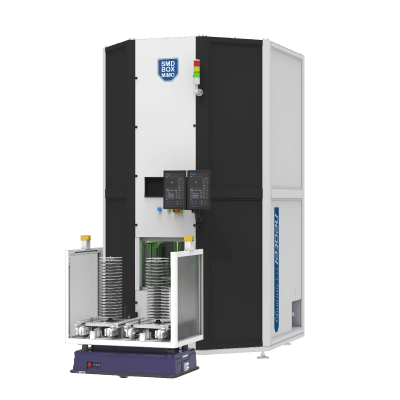
  • デバイス通信レイヤーSMD BOXNEO SCANNEO COUNTERなどのスマートハードウェアとリアルタイムでデータ交換

すべてのビジネスデータはお客様のローカルサーバーに保存され、外部クラウドサービスへの依存がないため、データ主権と情報セキュリティを根本的に保護します。

2SMFはどのような導入モードに対応していますか?

SMFは、さまざまな規模やシナリオに対応する3つの導入モードをサポートしています:

  • スタンドアロン導入 — サーバーとデータベースを1台のマシンに集約。単一生産ラインや小規模工場に最適で、最速の導入が可能
  • 分散導入 — アプリケーションサーバーとデータベースを分離し、複数ステーションの同時アクセスをサポート。中〜大規模工場向け
  • クラウド・エッジハイブリッド — エッジサーバーで生産ラインのリアルタイム制御を確保しつつ、クラウドで工場間データを集約・分析。エンタープライズレベルの複数工場管理に最適

詳細な導入計画についてはSMFシステムインテグレーションページをご覧いただくか、お問い合わせください。お客様に最適な導入プランをご提案いたします。

3SMFのブラウザおよびデバイス要件は?

B/Sアーキテクチャシステムとして、SMFのクライアント要件は非常に柔軟です:

  • ブラウザ — Chrome 90+、Edge 90+、Firefox 88+を推奨。その他のモダンブラウザにも対応
  • デバイス — PC、タブレット、産業用タッチスクリーンのいずれにも互換。画面サイズに合わせてインターフェースが自動調整
  • オペレーティングシステム — Windows、macOS、Linuxすべてに対応。専用クライアントのインストール不要

工場のLANに接続し、モダンブラウザを実行できるデバイスであれば、SMFのすべての機能にアクセスできます。

4SMFのライセンスモデルは?

SMFはモジュール型ライセンス方式を採用しており、必要に応じた投資が可能です:

  • コアモジュール — ハードウェアデバイス(例:SMD BOX)にバンドルされ、基本的な在庫管理とデバイス制御機能を含む
  • アドバンスモジュールMSD制御、高度なレポート、AGVスケジューリングなど — 必要に応じて個別に有効化・無効化が可能
  • ユーザー数無制限 — ライセンスは機能モジュール単位であり、同時接続ユーザー数による課金ではない

このモデルにより、基本構成から始めて、ビジネスの成長に合わせて段階的に拡張できます。

5SMFは多言語インターフェースに対応していますか?

はい。SMFには中国語、英語、日本語、ドイツ語のインターフェースが組み込まれています。ユーザーは個人の好みに応じて自由に言語を切り替えることができ、システムは各ユーザーの言語選択を記憶してログイン時に自動表示します。

追加言語のサポートが必要な場合は、お問い合わせいただき、カスタマイズオプションについてご相談ください。

6SMFとNeotelハードウェアデバイスの関係は?

SMFは、Neotelスマート部品管理ソリューション全体の中央制御ブレインとして、すべてのハードウェアデバイスを統括・管理します:

  • NEO SCAN — SMFからの部品登録コマンドを受信し、入庫部品のラベリングとデータ入力を実行
  • SMD BOX — SMFが入出庫タスクを配信し、ビンロケーション、温湿度、MSD暴露時間を管理
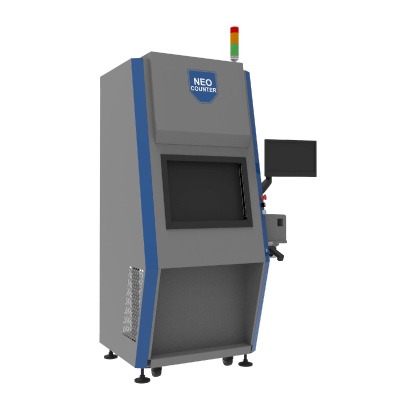
  • NEO COUNTER — X線カウント結果をリアルタイムでSMFに報告し、正確な在庫数量を更新
  • NEO Kitter / コンベア / AGV — SMFからキッティングおよび搬送指示を受信

SMFがなくても、各ハードウェアデバイスは基本機能で独立して動作できます。しかし、SMFを通じて相互接続されることで、システム全体の能力が飛躍的に向上します。詳しくはSMFモジュールをご覧ください。

1SMFのモジュールはオンデマンドで構成できますか?

はい、もちろんです。SMFはモジュール型アーキテクチャを採用しており、8つのコア機能モジュールはそれぞれ個別に有効化・無効化できます:

  • 部品登録&トレーサビリティ
  • スマート在庫管理
  • キッティング&補充スケジューリング
  • MSD(湿度敏感デバイス)制御
  • 設備監視&メンテナンス
  • データ分析&レポーティング
  • システムインテグレーションインターフェース
  • AGV / コンベアスケジューリング

現在のビジネス要件に基づいて必要なモジュールを柔軟に有効化し、必要に応じて後から拡張できます — システムの再インストールや既存サービスの中断は一切不要です。

2SMFのユーザー権限とロール管理はどのように行われますか?

SMFにはRBAC(ロールベースアクセス制御)権限システムが組み込まれています:

  • プリセットロール — システム管理者、倉庫監督者、オペレーター、閲覧者など — すぐに使用可能
  • カスタムロール — ビジネスニーズに基づいてカスタムロールを作成し、各機能のアクセス権限を細かく制御
  • 監査証跡 — すべてのユーザー操作(ログイン、入出庫、設定変更)が完全なトレーサビリティで記録

権限の粒度は個々のメニューやボタンにまで及び、各ロールが認可された機能とデータのみにアクセスできることを保証します。

3SMFのダッシュボードはカスタマイズできますか?

はい。SMFは柔軟にカスタマイズ可能なドラッグ&ドロップダッシュボードを提供しています:

  • 20以上のウィジェット — 在庫概要、設備ステータス、保留タスク、MSDアラート、生産ライン効率など
  • ロール別ビュー — 倉庫管理者は在庫と設備状況を表示、生産監督者はキッティング進捗とライン効率を表示
  • リアルタイムデータ — ダッシュボードデータは自動更新 — 手動操作は不要
4SMFのレポート生成・エクスポート機能は?

SMFは包括的なレポーティング機能を提供しています:

  • 標準レポート — 在庫サマリー、入出庫明細、MSD暴露記録、設備稼働率など、事前構築されたレポート
  • カスタムレポート — 期間、部品タイプ、倉庫エリアなどの条件でフィルタリング・組み合わせ
  • エクスポート形式 — PDF、Excel、CSVエクスポートに対応
  • スケジュールメール — 日次、週次、月次レポートを自動生成し、指定メールアドレスに送信するよう設定可能
5SMFのアラート・通知システムはどのように動作しますか?

SMFはマルチチャネル対応の設定可能なアラート通知システムをサポートしています:

  • 通知チャネル — 画面ポップアップ、メール、SMS、メッセージングプラットフォーム
  • アラートタイプ — MSD暴露タイムアウト、安全在庫レベル以下、設備異常、キッティングタイムアウトなど
  • ルール設定 — 各アラートタイプでしきい値、通知先、エスカレーション戦略を個別に設定可能
  • エスカレーション — 定義された期間内にアラートが対処されない場合、自動的に上位管理者にエスカレーション
6SMFはバーコードとRFID認識に対応していますか?

はい。SMFは複数の自動識別技術に対応しています:

  • 1Dバーコード — Code 128、EAN、UPCなどの一般的なフォーマット
  • 2Dバーコード — QR Code、DataMatrix(GS1規格)
  • RFID — UHF RFIDタグの一括読み取りに対応
  • スキャニングデバイス — ハンドヘルドスキャナーおよび固定マウントスキャナーに対応。NEO SCANワークステーションには産業用スキャニングモジュールが内蔵
1SMF導入に必要なサーバーハードウェア要件は?

SMFの推奨最小サーバースペックは以下の通りです:

  • プロセッサ — Intel Xeon 8コアまたは同等のCPU
  • メモリ — 32GB DDR4以上(10万点以上の部品を管理する場合は64GBを推奨)
  • ストレージ — システムおよびデータベースインストール用に500GB SSD、加えてバックアップストレージ
  • ネットワーク — ギガビットイーサネット、サーバーと倉庫設備は同一LAN上に配置
  • オペレーティングシステム — Windows Server 2019以降、またはLinux(CentOS/Ubuntu)

実際の要件は、お客様の部品データ量と同時接続ユーザー数によって異なります。当社の導入チームが、お客様のビジネスシナリオに基づいた最適なハードウェア構成をご提案いたします。

2SMFの一般的な導入期間は?

導入期間はプロジェクトの範囲によって異なります:

  • スタンドアロン導入(SMF+ハードウェア、システム連携なし) — 1〜2週間、インストール、設定、テスト、トレーニングを含む
  • インテグレーション導入(ERP/MES接続あり) — 4〜8週間、インターフェース開発と結合テストが大部分の時間を占める
  • 大規模プロジェクト(複数工場、複数システム、カスタム開発) — 具体的な要件に基づいて評価

Neotelは完全なプロジェクト管理と技術サポートを提供し、納期通りの納品を確保します。インテグレーションの詳細については、SMFシステムインテグレーションページをご覧ください。

3SMF導入時のトレーニングはどのように行われますか?

Neotelは、あらゆるレベルで習熟度を確保するための3層トレーニングプログラムを提供しています:

  • 管理者トレーニング — システム構成、ユーザー管理、権限設定、バックアップとリカバリ(1〜2日間)
  • オペレータートレーニング — 日常の部品ハンドリング、キッティング操作、設備制御(1日間)
  • ITトレーニング — システムメンテナンス、ネットワーク設定、トラブルシューティング、インターフェース管理(1〜2日間)

トレーニングはオンサイトリモートの両方で利用可能です。システムにはユーザーマニュアルとビデオチュートリアルも内蔵されており、日常的な参照にご利用いただけます。

4レガシーシステムからSMFへのデータ移行手順は?

データ移行は5つの標準ステップに従います:

  • ステップ1:データ監査 — レガシーシステムのデータ構造、品質、データ量を評価
  • ステップ2:マッピングテンプレート — フィールドマッピング関係とデータ変換ルールを定義
  • ステップ3:試行インポート — テスト環境にサンプルデータをインポートし、完全性と正確性を検証
  • ステップ4:棚卸し — システムデータと実在庫を照合し、差異を修正
  • ステップ5:本番切替 — 全データインポート、新旧システム並行運用の後、切り替えを完了

Neotelの導入チームがプロセス全体を支援し、データインポートツールと技術サポートを提供します。

5SMF稼働後の検収基準は?

SMFプロジェクトの検収には以下の主要指標が含まれます:

  • システム可用性 — 72時間連続の無障害運用、可用性99.5%以上
  • データ精度 — 在庫データ精度99.9%以上、入出庫記録のエラーゼロ
  • パフォーマンス — ページ応答時間2秒未満、同時接続ユーザー容量が要件を満たすこと
  • 機能完全性 — 契約で合意されたすべての機能モジュールがテストに合格
  • インテグレーション検証 — ERP/MESとのデータ交換がエラーなしで確認済み(該当する場合)
6SMFは段階的な展開に対応していますか?

推奨します。Neotelは、リスクを軽減し価値実現を加速する4段階のプログレッシブ展開を提案しています:

  • フェーズ1 — 入庫登録+スマートストレージ(コア機能、1〜2週間で成果)
  • フェーズ2 — キッティングスケジューリング+補充連携(生産ラインニーズとの接続)
  • フェーズ3 — MSD制御+データ分析(コンプライアンスと最適化)
  • フェーズ4 — AGVスケジューリング+システムインテグレーション+高度な機能

各フェーズは個別に検収され、次のフェーズに進む前に安定した運用を確認します。デモを予約して、段階的な実施計画についてご確認ください。

1SMFシステムのデータセキュリティ対策は?

SMFはエンドツーエンドのデータ保護を確保する多層防御セキュリティフレームワークを実装しています:

  • データ暗号化 — データベースの機密フィールドはAES-256で暗号化。すべてのデータ送信はHTTPS/TLSで保護
  • APIセキュリティ — すべてのAPI呼び出しにトークンベースの認証が必要で、不正アクセスを防止
  • ネットワーク分離 — お客様の社内LANに導入し、インターネットから物理的に分離して外部侵入リスクを排除
  • データローカライゼーション — すべてのビジネスデータはお客様のオンプレミスサーバーに保存 — データは施設外に出ることなく、コア資産を保護
2データのバックアップとリカバリメカニズムは?

SMFにはデータを保護する自動バックアップメカニズムが組み込まれています:

  • デイリーフルバックアップ — オフピーク時にシステムが自動的にフルバックアップを実行
  • インクリメンタルバックアップ — 1時間ごとの差分バックアップでデータ損失リスクを最小化
  • バックアップストレージ — ローカルディスク+NASの二重コピーに対応。重要データにはオフサイトバックアップを推奨
  • ワンクリックリカバリ — 障害発生時、30分以内にデータを復旧可能

バックアップ戦略はお客様の要件に応じてカスタマイズ可能で、企業のデータ管理基準への準拠を確保します。

3SMFは操作監査追跡を提供していますか?

はい。SMFは包括的な監査ログを記録しています:

  • 対象範囲 — ユーザーのログイン/ログアウト、部品の入出庫、設定変更、権限調整、およびすべての重要操作
  • ログ内容 — タイムスタンプ、操作者、IPアドレス、操作詳細、変更前後の値
  • 改ざん防止 — 監査ログは読み取り専用で、削除や変更は不可
  • 保存期間 — デフォルト2年間の保存、コンプライアンス要件に基づいて延長可能

監査ログは、時間、ユーザー、操作タイプなどによる多次元検索とエクスポートに対応しています。

4SMFは業界の規制要件に準拠していますか?

SMFは複数の業界標準に準拠して設計・実装されています:

  • ISO 9001 — 品質マネジメントシステム。標準化された開発・納品プロセスを確保
  • IATF 16949 — 自動車業界品質マネジメント規格。自動車エレクトロニクスのお客様のコンプライアンスニーズをサポート
  • J-STD-033 — 湿度敏感デバイス管理規格。SMFには完全なMSD制御ワークフローが組み込み済み
  • IPC-1782 — 部品トレーサビリティ規格。ライフサイクル全体のトレーサビリティをサポート

業界別ソリューションの詳細については、ソリューションセンターをご覧ください。

5SMFのアクセス制御と認証メカニズムは?

SMFはエンタープライズグレードのセキュリティ要件を満たす多層アクセス制御をサポートしています:

  • パスワードポリシー — 複雑性要件の強制、定期的なローテーション、過去のパスワードの再利用禁止
  • LDAP/AD連携 — エンタープライズディレクトリサービスとの連携によるSSO(シングルサインオン)をサポート
  • セッション管理 — タイムアウト時の自動ログアウトで、放置されたセッションのセキュリティリスクを防止
  • IPホワイトリスト — アクセスを特定のIP範囲またはデバイスのみに制限
  • アカウントロックアウト — 連続したログイン失敗後に自動的にアカウントをロックし、ブルートフォース攻撃を防止
1SMFは複数工場・複数倉庫の管理に対応できますか?

もちろんです。SMFはエンタープライズグループ向けに設計されたマルチサイトアーキテクチャを採用しています:

  • 独立運用 — 各工場/倉庫のローカルSMFインスタンスは独立して動作。ネットワーク中断がローカル運用に影響しない
  • データ同期 — ネットワーク回復時に、各サイトのデータが中央管理プラットフォームに自動同期
  • 統合ダッシュボード — 本社はすべての工場の在庫、設備ステータス、運用データをリアルタイムで監視可能
  • 拠点間転送 — 工場間の部品移動と在庫最適化をサポートし、グローバルなリソース配分を実現
2SMFに新しい機能モジュールを追加するには?

新しいモジュールの追加は簡単です:

  • ライセンスアクティベーション — 新しいモジュールのライセンスキーを取得後、システム管理インターフェースで直接アクティベート
  • 再インストール不要 — モジュールはプラグインとしてロードされ、既存の機能やデータに影響なし
  • クイックアクティベーション — アクティベーション後1時間以内に使用可能(初期設定と権限設定を含む)
  • ゼロダウンタイム — モジュールのアクティベーションによるシステム運用の中断なし
3SMFのバージョンアップグレードプロセスは?

SMFは標準化されたバージョンアップグレード戦略に従っています:

  • 年次メジャーリリース — 年1〜2回のメジャーバージョン。新機能とアーキテクチャ改善を含む
  • 四半期パッチ — セキュリティパッチとバグ修正を四半期ごとにリリース
  • アップグレード所要時間 — メジャーアップグレードは通常1〜2時間のダウンタイムが必要。パッチはホットデプロイ可能
  • ロールバックサポート — アップグレード前にスナップショットが自動作成され、問題発生時のクイックロールバックが可能

アップグレードはNeotelエンジニアがリモートまたはオンサイトでガイドし、安全で管理されたプロセスを確保します。

4SMFシステムの性能上限は?

単一SMFインスタンスの一般的な性能パラメータ(推奨ハードウェア構成時):

  • 部品管理 — 単一インスタンスで10万点以上の部品SKUをサポート
  • 同時接続ユーザー — 50名以上のユーザーが同時操作可能
  • デバイス接続 — 単一インスタンスで20台以上のデバイスを管理(SMD BOX、NEO SCANなど)
  • トランザクション処理毎分1,000件以上の操作(入庫、出庫、スキャン、クエリなど)

大規模なニーズには、分散導入とロードバランシングにより対応可能で、ハードウェアリソースに比例したリニアスケーリングが実現します。

5SMFの将来ロードマップは?

SMFは継続的に進化しており、主な将来の開発計画は以下の通りです:

  • AI予測 — 過去のデータに基づく部品消費トレンドの予測、インテリジェントな購買・キッティング推奨
  • 予知保全 — 設備運用データを活用したメンテナンスニーズの予測、計画外ダウンタイムの削減
  • モバイル体験の強化 — 現場検査やモバイル承認をサポートする、より豊富なモバイル機能
  • 拡張AGVコラボレーション — よりスマートな複数AGV協調スケジューリングと経路最適化

SMFの将来についてのご提案や機能リクエストがございましたら、お問い合わせください — お客様のフィードバックが製品ロードマップに直接影響します。

お探しの回答が見つかりませんか?

SMFシステムの詳細情報、導入計画、技術統合ガイダンスなど、当社のエンジニアリングチームが専門的なサポートを提供いたします。
  • SMFアーキテクチャおよび導入コンサルティング
  • モジュール選定とライセンスアドバイザリー
  • ERP/MESインテグレーション計画と技術サポート
  • オンサイトデモンストレーションとPOCテストのご利用可能

直接お問い合わせ

専門チーム、迅速な対応
ウェブサイト
お問い合わせページ
グローバルサービス · 専門エンジニアリングチーム · 迅速な対応
Neotel Technology
SMF FAQ

SMF System FAQ

This page compiles 28 frequently asked questions about the SMF Smart Material Flow platform, covering system architecture, deployment modes, feature configuration, security compliance, and scalability — helping you fully understand the system.

FAQ Overview

SMF System Q&A
28
Questions
5
Categories
8
Core Modules
4
Compliance Standards

Browse by Category

Select a category to find expert answers about SMF system architecture, features, deployment, security, and scalability

Basics 6
Features & Operations 6
Deployment 6
Security & Compliance 5
Scaling & Upgrades 5
1What is the overall architecture of the SMF system?

SMF (Smart Material Flow) uses a B/S (Browser/Server) architecture. Its core components include:

  • Application Server — Deployed on the customer’s local network, responsible for business logic and data processing
  • Database Server — Stores material master data, operation logs, and full traceability records
  • Browser Client — No software installation required; all system functions are accessible through a standard web browser
  • Device Communication Layer — Real-time data exchange with smart hardware such as SMD BOX, NEO SCAN, and NEO COUNTER

All business data is stored on the customer’s local server with no dependency on external cloud services, fundamentally safeguarding data sovereignty and information security.

2What deployment modes does SMF support?

SMF supports three deployment modes to accommodate different scales and scenarios:

  • Standalone Deployment — Server and database on a single machine, ideal for single production lines or small workshops with the fastest deployment time
  • Distributed Deployment — Application server and database separated, supporting multi-station concurrent access for medium to large factories
  • Cloud-Edge Hybrid — Edge servers ensure real-time production line control while the cloud aggregates and analyzes cross-factory data, ideal for enterprise-level multi-factory management

For detailed deployment plans, see the SMF System Integration page, or contact us for a tailored deployment recommendation.

3What are the browser and device requirements for SMF?

As a B/S architecture system, SMF has very flexible client requirements:

  • Browser — Chrome 90+, Edge 90+, Firefox 88+ recommended; other modern browsers also supported
  • Devices — PCs, tablets, and industrial touchscreens are all compatible; the interface adapts to different screen sizes
  • Operating System — Windows, macOS, and Linux are all supported; no dedicated client installation required

Any device that can connect to the factory LAN and run a modern browser can access all SMF functions.

4What is the SMF licensing model?

SMF uses a modular licensing approach, allowing you to invest as needed:

  • Core Modules — Bundled with hardware devices (e.g., SMD BOX), including basic inventory management and device control functions
  • Advanced Modules — Such as MSD control, advanced reporting, AGV scheduling — available on demand, independently enabled or disabled
  • Unlimited Users — Licensing is per functional module, not per concurrent user

This model lets you start with a basic configuration and gradually expand as your business grows.

5Does SMF support multiple language interfaces?

Yes. SMF has built-in support for Chinese, English, Japanese, and German interfaces. Users can freely switch languages based on personal preference, and the system remembers each user’s language selection for automatic display upon login.

If you need additional language support, please contact us to discuss customization options.

6What is the relationship between SMF and Neotel hardware devices?

SMF serves as the central control brain of the entire Neotel smart material management solution, coordinating and managing all hardware devices:

  • NEO SCAN — Receives material registration commands from SMF for incoming material labeling and data entry
  • SMD BOX — SMF dispatches storage/retrieval tasks, managing bin locations, temperature/humidity, and MSD exposure time
  • NEO COUNTER — X-ray counting results are reported back to SMF in real time, updating precise inventory quantities
  • NEO Kitter / Conveyor / AGV — Receives kitting and transport instructions from SMF

Without SMF, each hardware device can still operate independently with basic functions; but when interconnected through SMF, system capabilities are dramatically enhanced. Learn more at SMF Modules.

1Can SMF modules be configured on demand?

Yes, absolutely. SMF uses a modular architecture, and its eight core functional modules can each be independently enabled or disabled:

  • Material Registration & Traceability
  • Smart Inventory Management
  • Kitting & Replenishment Scheduling
  • MSD (Moisture Sensitive Device) Control
  • Equipment Monitoring & Maintenance
  • Data Analytics & Reporting
  • System Integration Interface
  • AGV / Conveyor Scheduling

You can flexibly enable the modules you need based on your current business requirements and expand later as needed — all without reinstalling the system or interrupting existing services.

2How does SMF manage user permissions and roles?

SMF has a built-in RBAC (Role-Based Access Control) permission system:

  • Preset Roles — System Administrator, Warehouse Supervisor, Operator, Viewer, and more — ready to use out of the box
  • Custom Roles — Create custom roles based on business needs with granular control over each function’s access permissions
  • Audit Trail — All user actions (login, storage/retrieval, configuration changes) are logged with full traceability

Permission granularity extends down to individual menus and buttons, ensuring each role can only access authorized functions and data.

3Can the SMF dashboard be customized?

Yes. SMF provides a drag-and-drop dashboard with flexible customization:

  • 20+ Widgets — Including inventory overview, equipment status, pending tasks, MSD alerts, production line efficiency, and more
  • Role-Based Views — Warehouse managers see inventory and equipment status; production supervisors see kitting progress and line efficiency
  • Real-Time Data — Dashboard data refreshes automatically — no manual action needed
4How does SMF generate and export reports?

SMF provides comprehensive reporting capabilities:

  • Standard Reports — Pre-built reports for inventory summaries, storage/retrieval details, MSD exposure records, equipment utilization, and more
  • Custom Reports — Filter and combine by time range, material type, warehouse zone, and other criteria
  • Export Formats — PDF, Excel, and CSV export supported
  • Scheduled Emails — Configure daily, weekly, or monthly reports to be auto-generated and sent to specified email addresses
5How does the SMF alert and notification system work?

SMF supports a multi-channel, configurable alert notification system:

  • Notification Channels — On-screen pop-ups, email, SMS, and messaging platforms
  • Alert Types — MSD exposure timeout, inventory below safety level, equipment anomaly, kitting timeout, and more
  • Rule Configuration — Each alert type can independently set thresholds, notification recipients, and escalation strategies
  • Escalation — If an alert is not addressed within the defined timeframe, it automatically escalates to senior management
6Does SMF support barcode and RFID recognition?

Yes. SMF is compatible with multiple automatic identification technologies:

  • 1D Barcodes — Code 128, EAN, UPC, and other common formats
  • 2D Barcodes — QR Code, DataMatrix (GS1 standard)
  • RFID — UHF RFID tag batch reading supported
  • Scanning Devices — Compatible with handheld scanners and fixed-mount scanners; NEO SCAN workstations include built-in industrial-grade scanning modules
1What are the server hardware requirements for deploying SMF?

The recommended minimum server specifications for SMF are:

  • Processor — Intel Xeon 8-core or equivalent CPU
  • Memory — Starting from 32GB DDR4 (64GB recommended if managing more than 100,000 material items)
  • Storage — 500GB SSD for system and database installation, plus additional backup storage
  • Network — Gigabit Ethernet, with server and warehouse equipment on the same LAN
  • Operating System — Windows Server 2019 or later, or Linux (CentOS/Ubuntu)

Actual requirements depend on your material data volume and concurrent user count. Our deployment team will provide a tailored hardware configuration based on your specific business scenario.

2What is the typical deployment timeline for SMF?

The deployment timeline depends on the project scope:

  • Standalone Deployment (SMF + hardware, no system integration) — 1-2 weeks, including installation, configuration, testing, and training
  • Integration Deployment (with ERP/MES connectivity) — 4-8 weeks, with interface development and joint testing taking the majority of time
  • Large-Scale Projects (multi-factory, multi-system, custom development) — Assessed based on specific requirements

Neotel provides full project management and technical support to ensure on-time delivery. For integration details, visit the SMF System Integration page.

3How is training arranged during SMF deployment?

Neotel provides a three-tier training program to ensure proficiency at every level:

  • Administrator Training — System configuration, user management, permission settings, backup and recovery (1-2 days)
  • Operator Training — Daily material handling, kitting operations, equipment control (1 day)
  • IT Training — System maintenance, network configuration, troubleshooting, interface management (1-2 days)

Training is available both on-site and remotely. The system also includes built-in user manuals and video tutorials for everyday reference.

4What are the steps for migrating data from a legacy system to SMF?

Data migration follows 5 standard steps:

  • Step 1: Data Audit — Assess the legacy system’s data structure, quality, and volume
  • Step 2: Mapping Template — Define field mapping relationships and data transformation rules
  • Step 3: Trial Import — Import sample data into the test environment to verify completeness and accuracy
  • Step 4: Physical Inventory — Cross-check system data against physical inventory and correct discrepancies
  • Step 5: Full Cutover — Full data import, run old and new systems in parallel, then complete the switchover

The Neotel deployment team assists throughout the entire process, providing data import tools and technical support.

5What are the acceptance criteria after SMF goes live?

SMF project acceptance includes the following key metrics:

  • System Availability — 72 consecutive hours of fault-free operation, availability >99.5%
  • Data Accuracy — Inventory data accuracy >99.9%, zero errors in storage/retrieval records
  • Performance — Page response time <2 seconds, concurrent user capacity meets requirements
  • Feature Completeness — All contractually agreed functional modules pass testing
  • Integration Verification — Data exchange with ERP/MES confirmed error-free (if applicable)
6Does SMF support phased rollout?

Recommended. Neotel suggests a 4-phase progressive rollout to reduce risk and accelerate value realization:

  • Phase 1 — Incoming registration + smart storage (core functions, results in 1-2 weeks)
  • Phase 2 — Kitting scheduling + replenishment integration (connecting to production line needs)
  • Phase 3 — MSD control + data analytics (compliance and optimization)
  • Phase 4 — AGV scheduling + system integration + advanced features

Each phase is independently accepted, ensuring stable operation before moving to the next. Book a demo to learn about the phased implementation plan.

1What data security measures does the SMF system employ?

SMF implements a multi-layered defense-in-depth security framework to ensure end-to-end data protection:

  • Data Encryption — Sensitive database fields are encrypted with AES-256; all data transmission is protected via HTTPS/TLS
  • API Security — All API calls require token-based authentication, preventing unauthorized access
  • Network Isolation — The system is deployed on the customer’s internal LAN, physically isolated from the internet to eliminate external intrusion risks
  • Data Localization — All business data is stored on customer-premises servers — data never leaves the facility, safeguarding core assets
2What are the data backup and recovery mechanisms?

SMF has built-in automatic backup mechanisms to safeguard data:

  • Daily Full Backup — The system automatically performs a full backup during off-peak hours
  • Incremental Backup — Hourly incremental backups minimize the risk of data loss
  • Backup Storage — Supports local disk + NAS dual copies; off-site backup recommended for critical data
  • One-Click Recovery — In the event of a failure, data can be restored within 30 minutes

Backup strategies can be customized according to customer requirements to ensure compliance with enterprise data management standards.

3Does SMF provide operation audit tracking?

Yes. SMF records comprehensive audit logs:

  • Coverage — User login/logout, material storage/retrieval, configuration changes, permission adjustments, and all critical operations
  • Log Content — Timestamp, operator, IP address, action details, and before/after values
  • Tamper-Proof — Audit logs are read-only and cannot be deleted or modified
  • Retention Period — Default 2-year retention, extendable based on compliance requirements

Audit logs support multi-dimensional search and export by time, user, action type, and more.

4Does SMF comply with industry regulatory requirements?

SMF is designed and implemented in accordance with multiple industry standards:

  • ISO 9001 — Quality management system, ensuring standardized development and delivery processes
  • IATF 16949 — Automotive industry quality management standard, supporting compliance needs of automotive electronics customers
  • J-STD-033 — Moisture-sensitive device management standard; SMF includes a complete built-in MSD control workflow
  • IPC-1782 — Component traceability standard, supporting full lifecycle traceability

Learn more about industry-specific solutions at our Solutions Center.

5What access control and authentication mechanisms does SMF offer?

SMF supports multi-layered access control to meet enterprise-grade security requirements:

  • Password Policies — Enforced complexity requirements, periodic rotation, and no reuse of historical passwords
  • LDAP/AD Integration — Supports integration with enterprise directory services for SSO (Single Sign-On)
  • Session Management — Automatic logout on timeout, preventing security risks from unattended sessions
  • IP Whitelisting — Restrict access to specific IP ranges or devices only
  • Account Lockout — Automatic account lockout after consecutive failed login attempts to prevent brute-force attacks
1Can SMF support multi-factory / multi-warehouse management?

Absolutely. SMF uses a multi-site architecture designed for enterprise groups:

  • Independent Operation — Each factory/warehouse’s local SMF instance runs independently; network interruptions do not affect local operations
  • Data Synchronization — When the network recovers, data from each site is automatically synced to the central management platform
  • Unified Dashboard — Headquarters can monitor all factories’ inventory, equipment status, and operational data in real time
  • Cross-Site Transfers — Supports inter-factory material transfers and inventory optimization for global resource allocation
2How do I add new functional modules to SMF?

Adding new modules is straightforward:

  • License Activation — After obtaining a new module license key, activate it directly in the system administration interface
  • No Reinstallation — Modules load as plugins without affecting existing functions or data
  • Quick Activation — Available for use within 1 hour after activation, including initial configuration and permission setup
  • Zero Downtime — Module activation does not interrupt system operation
3What is the version upgrade process for SMF?

SMF follows a standardized version upgrade strategy:

  • Annual Major Releases — 1-2 major versions per year, including new features and architecture improvements
  • Quarterly Patches — Security patches and bug fixes released quarterly
  • Upgrade Duration — Major upgrades typically require 1-2 hours of downtime; patches can be hot-deployed
  • Rollback Support — A snapshot is automatically created before upgrading; quick rollback is available if issues arise

Upgrades are guided by Neotel engineers either remotely or on-site, ensuring a safe and controlled process.

4What are the performance limits of the SMF system?

Typical performance parameters for a single SMF instance (with recommended hardware):

  • Material Management — Single instance supports 100,000+ material SKUs
  • Concurrent Users — 50+ users operating simultaneously
  • Device Connections — Single instance manages 20+ devices (SMD BOX, NEO SCAN, etc.)
  • Transaction Processing1,000+ operations/minute (storage, retrieval, scanning, queries, etc.)

Larger-scale requirements can be met through distributed deployment and load balancing, with linear scaling based on hardware resources.

5What is the future roadmap for SMF?

SMF continues to evolve, with key future developments including:

  • AI-Powered Prediction — Predicting material consumption trends based on historical data, with intelligent purchasing and kitting recommendations
  • Predictive Maintenance — Leveraging equipment operation data to anticipate maintenance needs and reduce unplanned downtime
  • Enhanced Mobile Experience — Richer mobile capabilities supporting on-site inspections and mobile approvals
  • Extended AGV Collaboration — Smarter multi-AGV coordinated scheduling and path optimization

If you have suggestions or feature requests for SMF’s future, please contact us — your feedback directly influences the product roadmap.

Didn’t Find Your Answer?

Whether you need detailed SMF system information, deployment planning, or technical integration guidance, our engineering team is ready to provide expert support.
  • SMF architecture and deployment consultation
  • Module selection and licensing advisory
  • ERP/MES integration planning and technical support
  • On-site demonstrations and POC testing available

Contact Us Directly

Expert team, always responsive
Global Service Coverage · Expert Engineering Team · Fast Response

SMF Integration FAQ

Get instant answers about Smart Material Flow integration, API connectivity, and system capabilities

SMF Connected Systems

Smart Material Flow integrates with all Neotel smart storage solutions

Neo Scan

Material Registration System for automated identification and tracking

SMD BOX

Automated Smart Storage System for component management

Neo Light

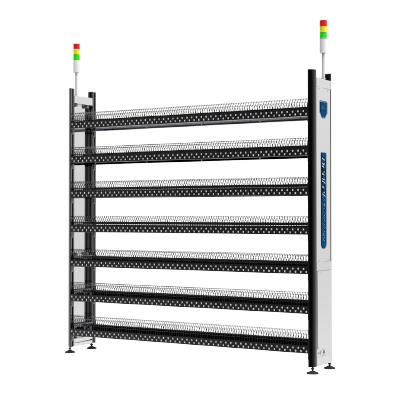
Smart Rack solution for intelligent material organization

Offline X-ray reel counter Neo Counter X400

Neo Counter

X-ray Component Counter for precise inventory management

500+

Successful Integrations

7

Common Questions

2-4

Weeks Integration

24/7

Technical Support

All Topics

View all FAQ questions

Integration

ERP/MES connectivity

API & Technical

API specifications & setup

Features

Kitting & work orders

  • SMF includes a kitting module that groups materials for production based on ERP/MES work orders.
  • Features:
    • Receive and queue work orders
    • Allocate and track materials
    • Trigger line replenishment jobs via API

   External systems can use APIs to:
  • Start kitting jobs
  • Monitor progress in real time

Need More Help?

Our technical team is ready to assist with your SMF integration questions and requirements.

neotel-logo

Contact customer service, and we will provide you with a customized intelligent material management solution for free based on your business situation.